Sales Commissions
Set commission rates per salesperson, with optional tiers, and get a monthly statement from your paid invoices.
Coming soon to the Zoho Marketplace
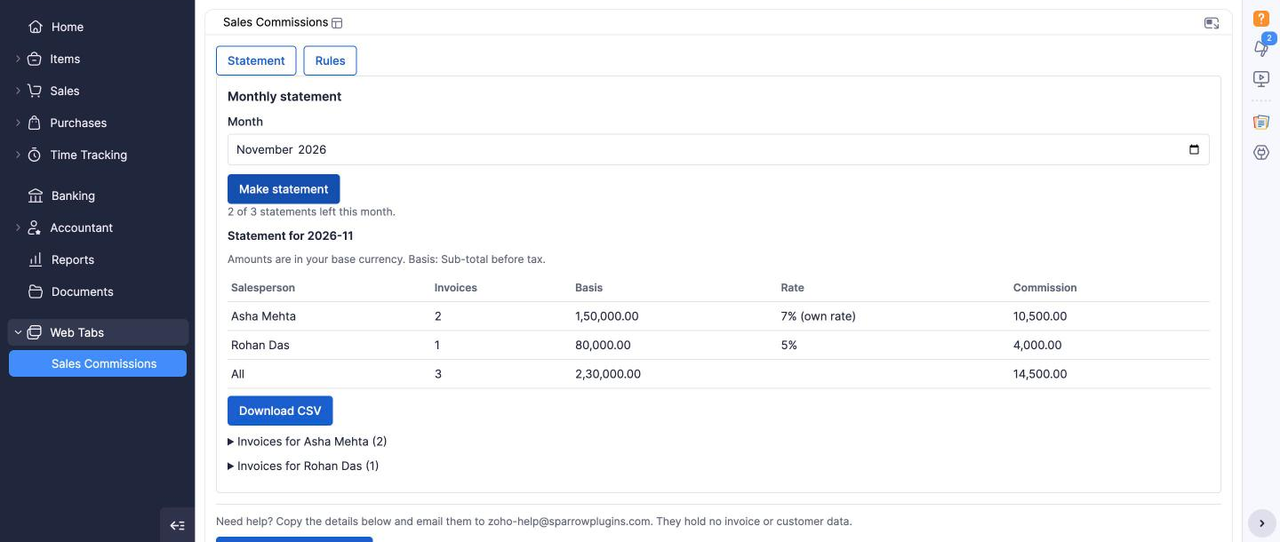
Zoho Books has a salesperson field on invoices but no commission maths. This extension adds a Sales Commissions tab: set the rules once, then get a statement for any month.
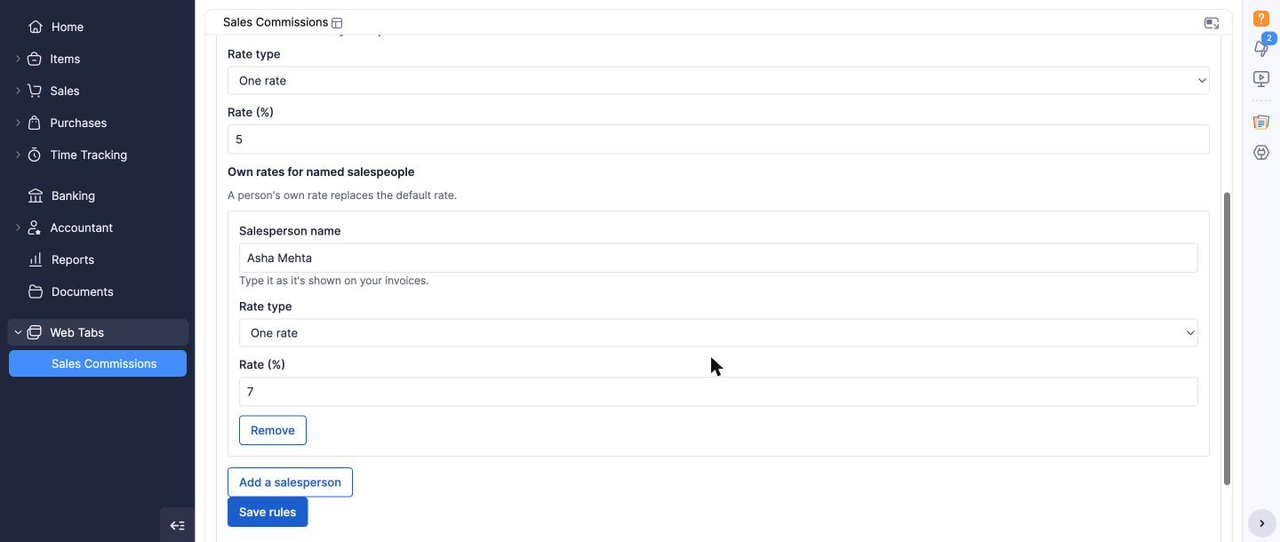
Pick a default rate, say 5%. Give some salespeople their own rate, or tiers such as 5% up to 1,00,000 and 7% on the part above.
The statement shows each salesperson's invoice count, the amount the commission is worked out on, and the commission. Open a name to see the invoices behind it, or download a CSV for payroll.
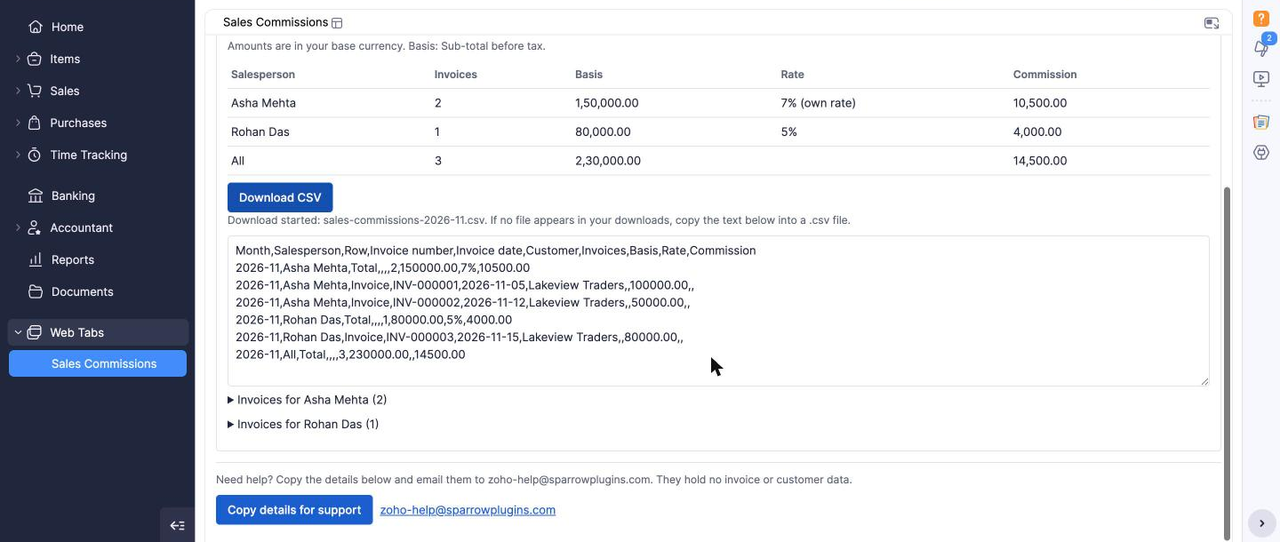
Every amount is rounded to the paisa, so the CSV totals match the screen.
Not affiliated with Zoho Corporation.
What it does
- A default commission rate for every salesperson
- Own rates for named salespeople
- Monthly tiers, for example 5% up to 1,00,000 and 7% above
- Commission on the sub-total before tax or on the invoice total
- Paid invoices only, or all sent invoices
- Month by invoice date or by the date of the last payment
- Statement per salesperson with the invoice list behind each figure
- CSV download
- Lite: 3 statements a month. Pro: no limit.
Set it up
- Install the extension from the Zoho Marketplace. An admin of the organisation should do this.
- When Zoho Books asks, authorise the connection
sparrowbooks. It lets the extension read invoices and keep its rules in your organisation. - Open the Sales Commissions tab in the left menu of Zoho Books.
- Go to Rules. Set the default rate, add salespeople who get a different rate, and click Save rules.
- Go to Statement, pick a month and click Make statement.
- Click Download CSV to save the statement. The same text also appears below the button, so if your browser blocks the file you can copy it into a .csv file.
Invoices with no salesperson are shown on their own line and earn no commission.
Plans and limits
Lite: 3 statements a month per organisation. Changing the rules on a statement you already made is free. Pro: no monthly limit, USD 9 a month after a 15-day free trial. A statement reads up to 1,000 invoices for one month. Needs Zoho Books Premium or a higher plan, because widgets are only on those plans. Built for the India edition of Zoho Books.
Privacy
The extension reads invoices from your Zoho Books organisation through the Books API when you make a statement: number, date, customer name, salesperson, status and amounts. Nothing leaves Zoho Books. The CSV file is made in your browser. Your commission rules, a monthly statement count and a short error log are kept in a hidden global field in your organisation.
Support
Email zoho-help@sparrowplugins.com. Maker: Sparrow Plugins, Udaipur, India.