Price Change Scheduler
Plan item rate changes for a future date, one by one or from a CSV file. They apply by themselves on the day.
Coming soon to the Zoho Marketplace
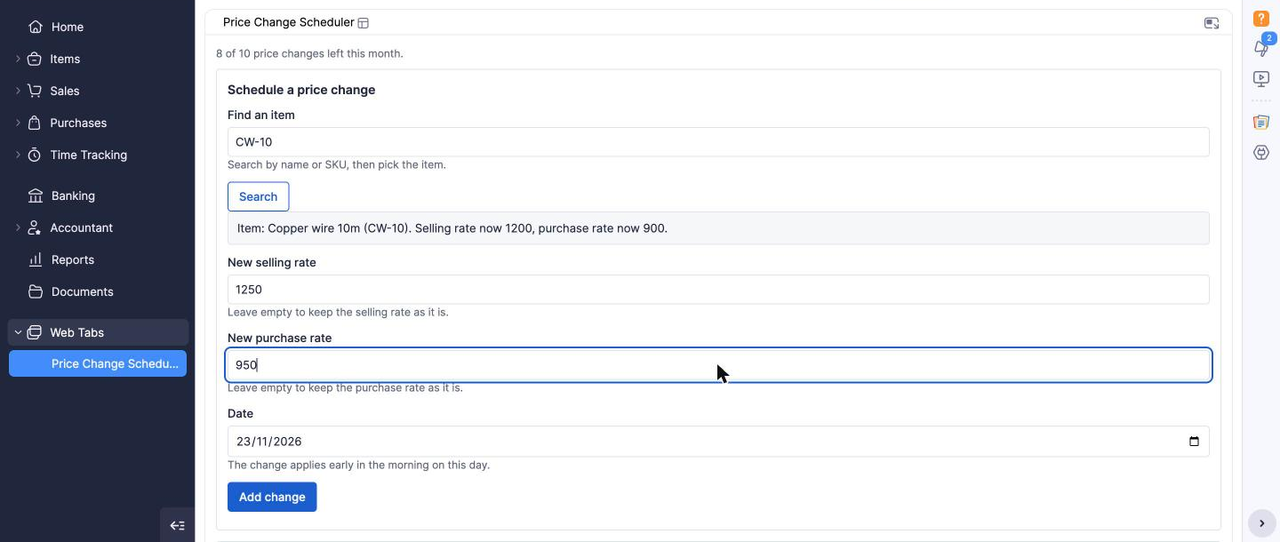
Suppliers send new prices weeks before they start. In Zoho Books you have to remember to change each item on the right morning. Here you enter the change now and pick the date.
Find an item by name or SKU, type the new selling rate, purchase rate or both, and choose a date. For many items, upload a CSV file. Every row is checked against your items before anything is saved.
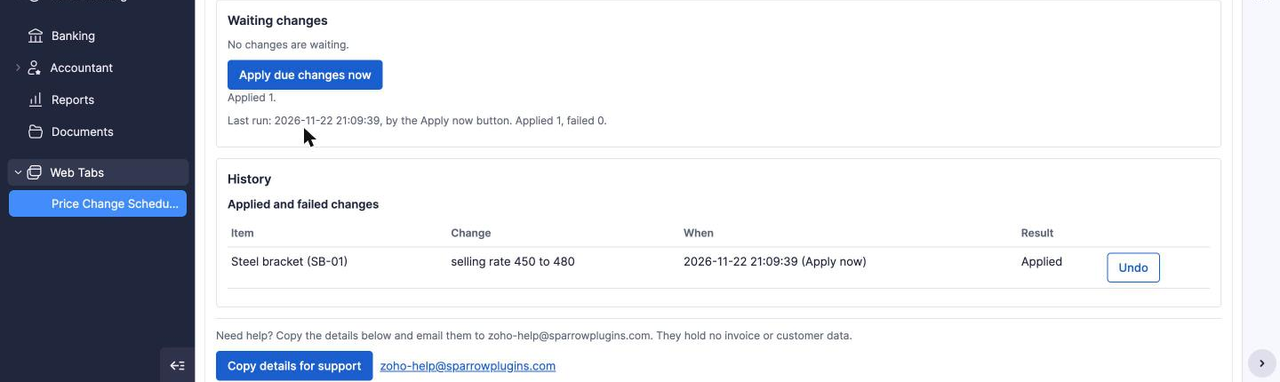
A schedule inside Zoho Books runs every day at 5:00 in the morning and applies the changes that are due. Need it now? Press Apply due changes now. History shows the old rate and the reason for any failure, and Undo puts the old rate back.
Not affiliated with Zoho Corporation.
What it does
- Schedule a new selling rate, purchase rate or both for any item on a date
- CSV upload with a check of every row before you save
- A daily schedule applies due changes at 5:00 every morning
- Apply due changes now, with one button
- History of applied and failed changes, with the old rate and the reason
- Undo an applied change
- Lite: 10 applied changes a month. Pro: no limit.
Set it up
- Install the extension from the Zoho Marketplace. An admin of the organisation should do this.
- When Zoho Books asks, authorise the connection
sparrowbooks. The daily schedule updates rates with the access of the admin who authorised it. - Open the Price Change Scheduler tab in the left menu of Zoho Books.
- Find an item, enter the new rate and the date, and click Add change. Or upload a CSV file with the columns SKU or name, new rate, date and purchase rate (optional).
- Check the Waiting changes list. The schedule applies each change on its date.
Plans and limits
Lite: 10 applied changes a month per organisation. More can wait for the next month. Pro: no monthly limit, USD 12 a month after a 15-day free trial. Up to 100 changes can wait at a time. A CSV file can have up to 500 rows. One run applies up to 50 changes. Needs Zoho Books Premium or a higher plan, because widgets are only on those plans. Built for the India edition of Zoho Books.
Privacy
The extension reads item names, SKUs and rates from your Zoho Books organisation and updates the selling and purchase rate of the items you schedule, through the Books API. Nothing leaves Zoho Books. Your CSV file is read in your browser. The scheduled changes, their history, a monthly count and a short error log are kept in a hidden global field in your organisation.
Support
Email zoho-help@sparrowplugins.com. Maker: Sparrow Plugins, Udaipur, India.