Minimum Price Guard
Set a lowest price per item. Invoice, estimate or sales order lines below it are flagged in red and the save is blocked.
Coming soon to the Zoho Marketplace
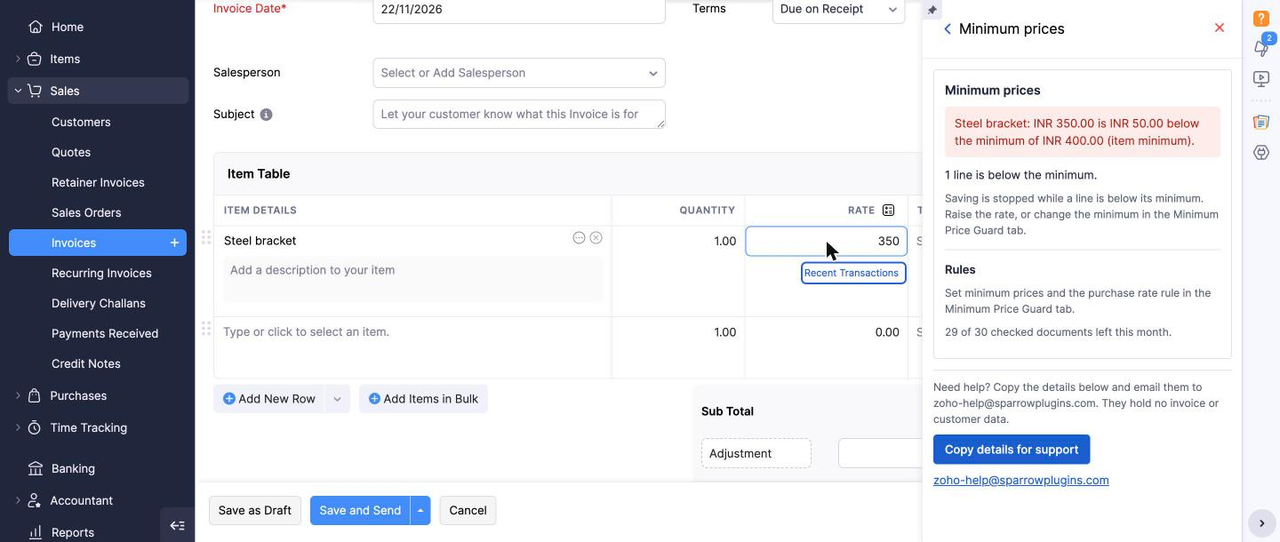
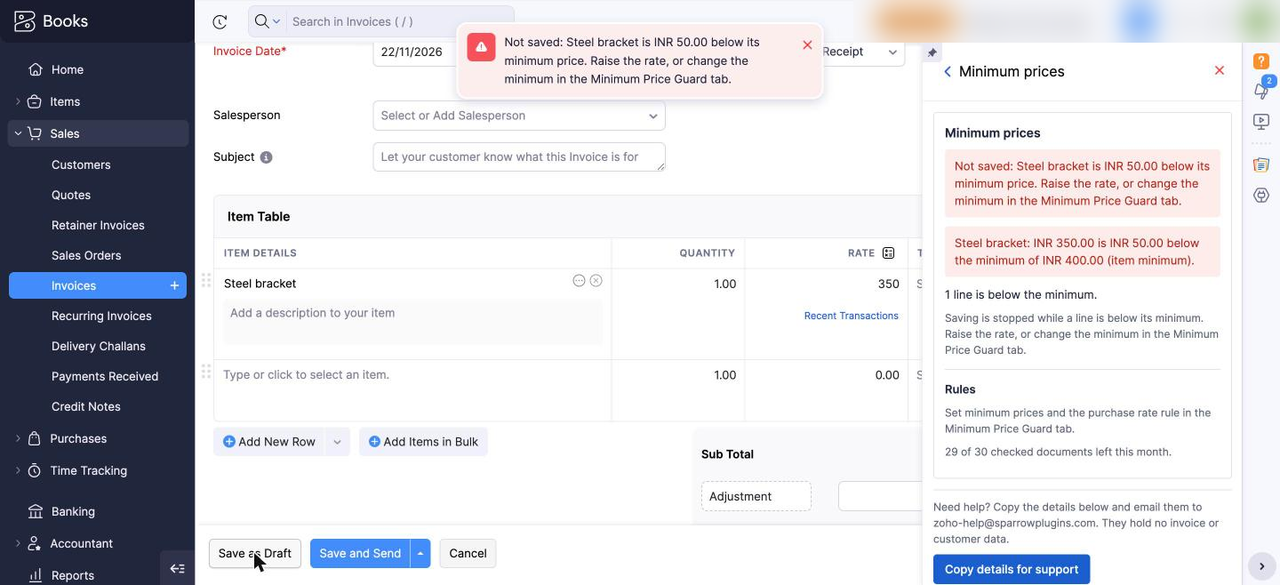
Set the lowest price each item may be sold for. If a new sales document has a line below it, the side panel shows that line in red with the gap, and the document does not save until the rate goes up.
Zoho Books has no built-in minimum price check, so a typo or a big discount can reach a customer. Zoho's own minimum-price extension is documented for Zoho Inventory; this one works in Zoho Books and covers estimates too.
Set a minimum per item, or one rule for all items: never below the purchase rate plus your margin. An item's own minimum wins. The check uses the price after the line discount, leaves out tax when your rates include it, and converts foreign currency with the exchange rate.
The extension cannot change a rate on the form; you fix it.
Not affiliated with Zoho Corporation.
What it does
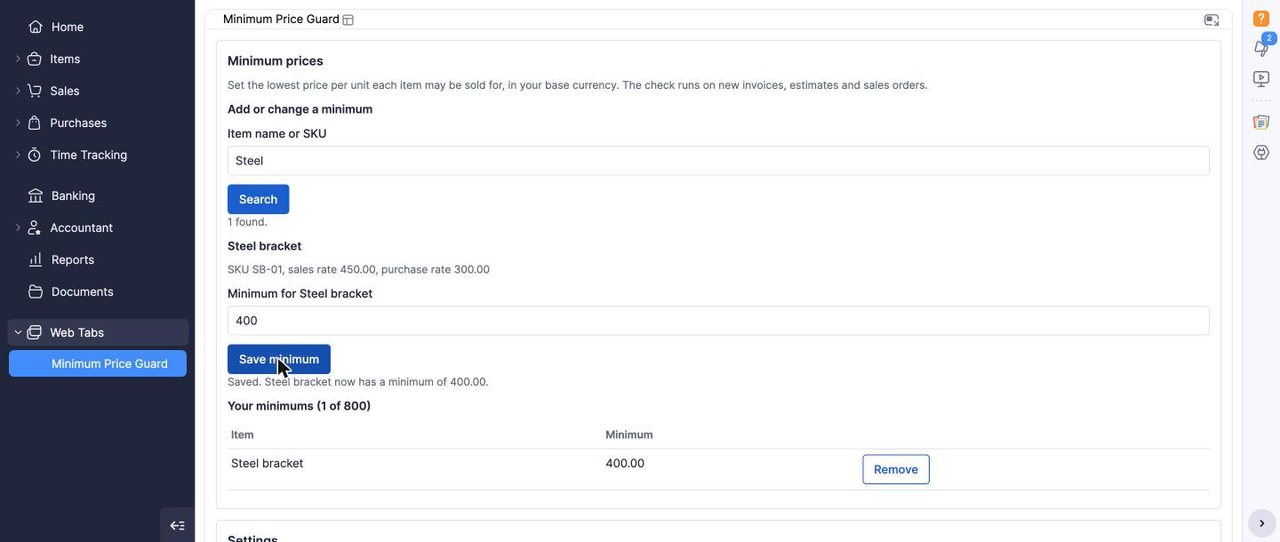
- Minimum selling price per item, set by search or imported from a CSV file with a preview
- Optional rule: never below the purchase rate plus a margin you choose
- Lines below the minimum are flagged in red in the side panel, with the gap
- Saving stops while a line is below its minimum (you can turn this off)
Set it up
- Install the extension from the Zoho Marketplace.
- When Books asks, authorise the sparrowbooks connection. It reads your items and keeps settings in a hidden field.
- Open the Minimum Price Guard tab.
- Search for an item, type its minimum and click Save minimum. For many items, paste a CSV file (item name, SKU or ID, then the minimum), click Preview, then save.
- For one rule on every item, tick the purchase rate box, type the margin and click Save settings.
- Create an invoice. Open the Minimum prices panel from the right side bar to see the check as you add lines.
Plans and limits
Lite: 30 checked documents a month per organisation. A document counts once a day, when a line on it is first checked. Pro: unlimited, USD 10 a month after a 15-day free trial. Zoho Books Premium plan or higher is needed for widgets. Built for the India edition of Zoho Books. Up to 800 item minimums, in your base currency.
Privacy
The extension reads the lines of the document you are creating, and your item list and purchase rates, inside Zoho Books. Nothing leaves Zoho. Your minimum prices, settings, a monthly count and a short error log are kept in a hidden global field in your own organisation.
Support
Email zoho-help@sparrowplugins.com. "Copy details for support" gives text to paste in, with no customer data. Maker: Sparrow Plugins, Udaipur, India.