Answer Hub FAQ
Searchable FAQ accordion for any page
In Wix review
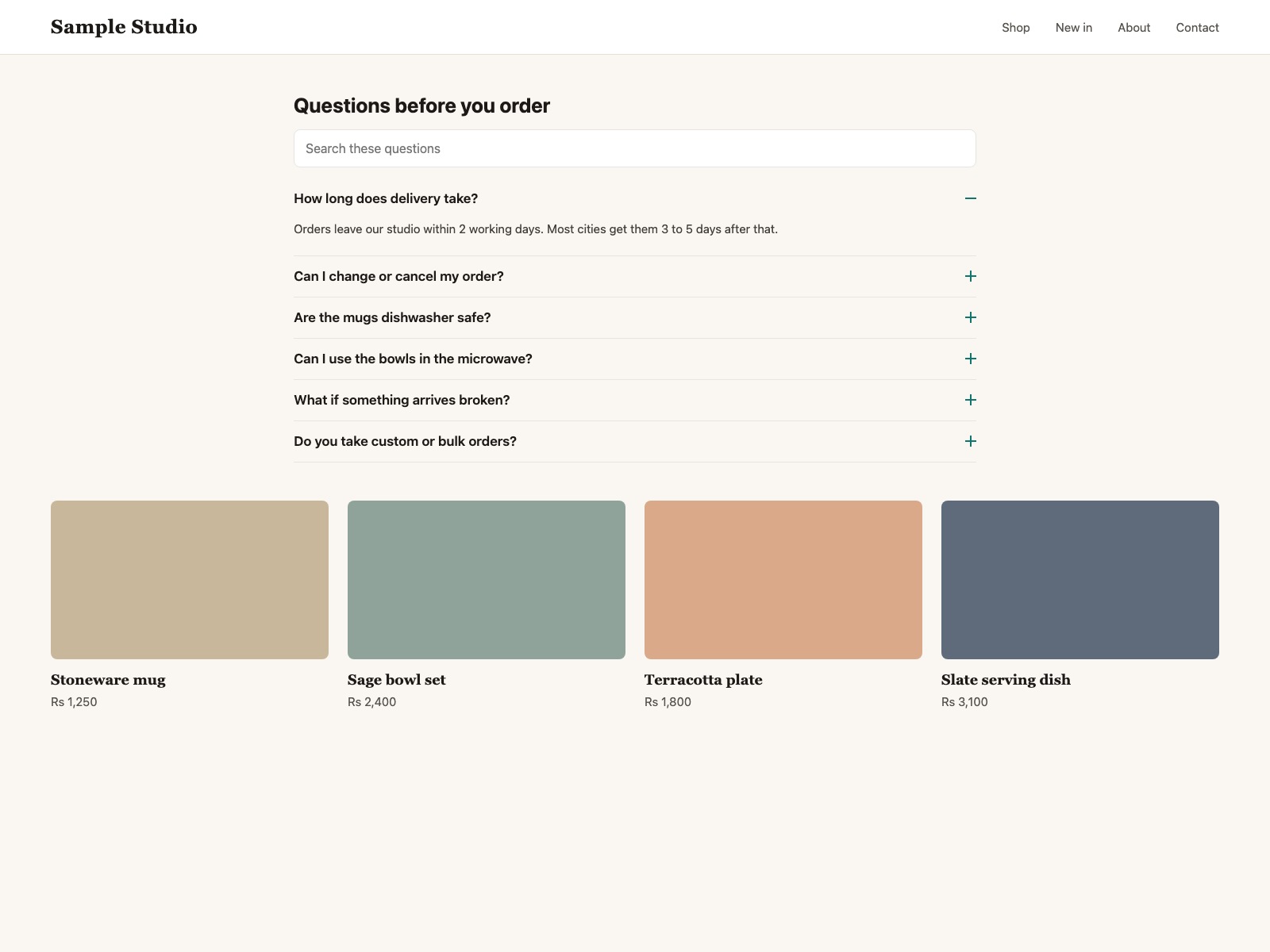
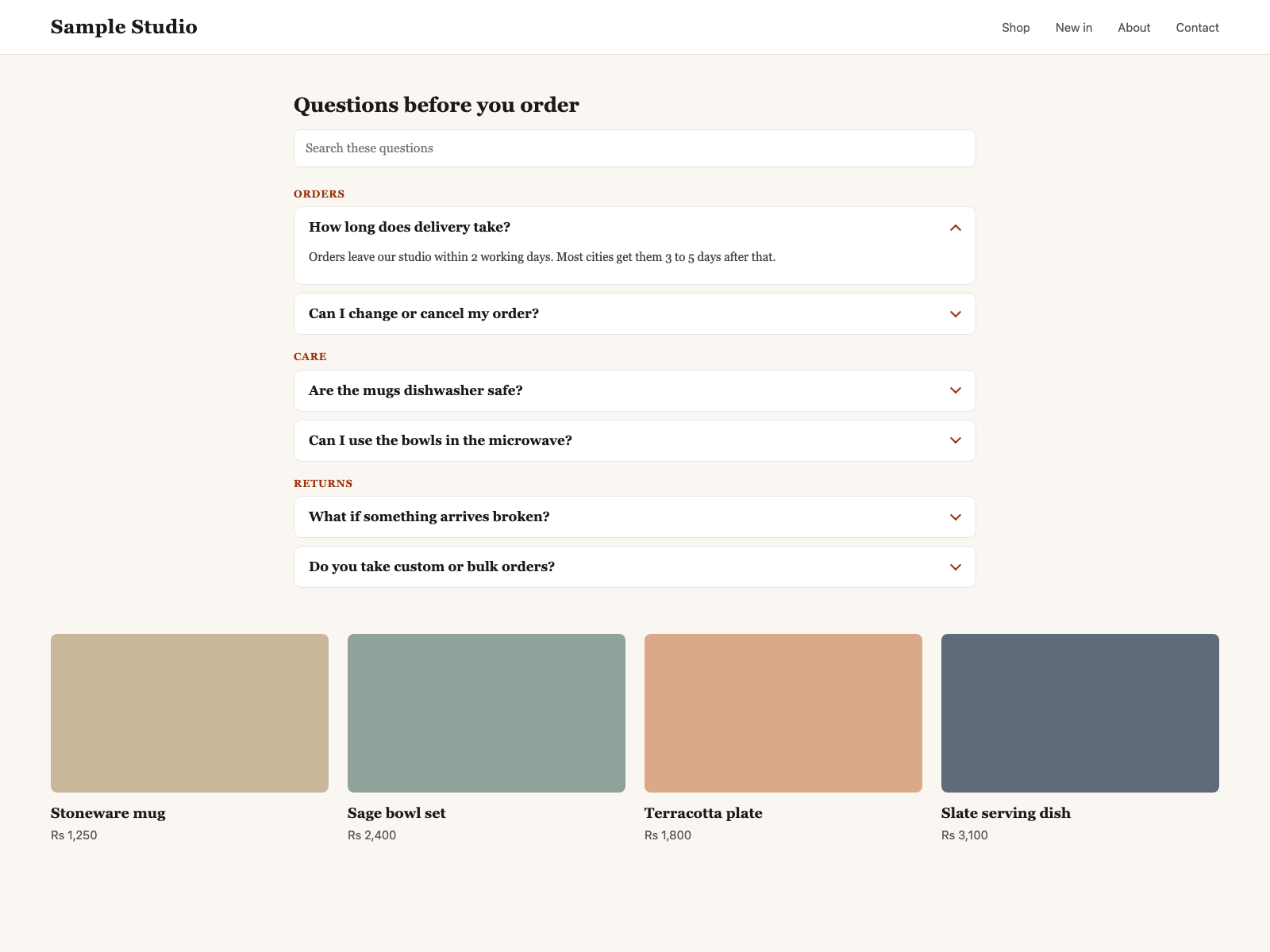
Answer Hub FAQ shows your questions and answers as a compact accordion. Visitors open an answer with a click or the keyboard and can search the questions in that section.
You write the questions once in your dashboard, in FAQ sets. Each FAQ widget shows one set, so your shipping page, your booking page and your home page can each have their own. The questions are stored in your site's own content collection, so removing or moving a widget never deletes them.
Free gives you one FAQ set of up to 10 questions with search and every style option, and no badge or credit line on your site. Search engines read the questions as normal page text.
The Pro plan adds more sets and more than 10 questions per set, category headings, CSV import and export, and copying a set.
Set it up
- Add the app from the Wix App Market and approve it for your site.
- Open Answer Hub FAQ in your Wix dashboard and change the settings. The preview shows the result.
- Press Save, then open your live site to check it.
Free and Pro
| Free | Pro | |
|---|---|---|
| Compact accordion that works with a keyboard | Yes | Yes |
| Search box that only searches that section's questions | Yes | Yes |
| A different FAQ set on each page (Pro for more than one) | Yes | Yes |
| Questions are real page text, readable by search engines | Yes | Yes |
| Questions saved in your site, safe when a widget is removed | Yes | Yes |
| Categories, csv import and export, copy a set | No | Yes |
| Price | Free | USD 4.95 a month or USD 49.50 a year, per site, billed by Wix |
Privacy
Your questions and answers are stored in your own Wix site data. The app collects nothing about your visitors. Full policy: privacy.
Questions
Is Answer Hub FAQ free?
Yes. The free plan has no time limit and shows no credit line on your site. Pro costs USD 4.95 a month or USD 49.50 a year and is billed by Wix.
How do I upgrade or cancel?
Open Answer Hub FAQ in your Wix dashboard and press Upgrade. You cancel the subscription from your Wix account, like any app plan. Your settings stay as they are.
Does it slow my site down?
The app runs inside your Wix site with no outside server, and its code loads after your page content.
Where are my settings stored?
Inside your Wix site. We run no server for this app, so nothing you enter is sent to us.