Async Retro
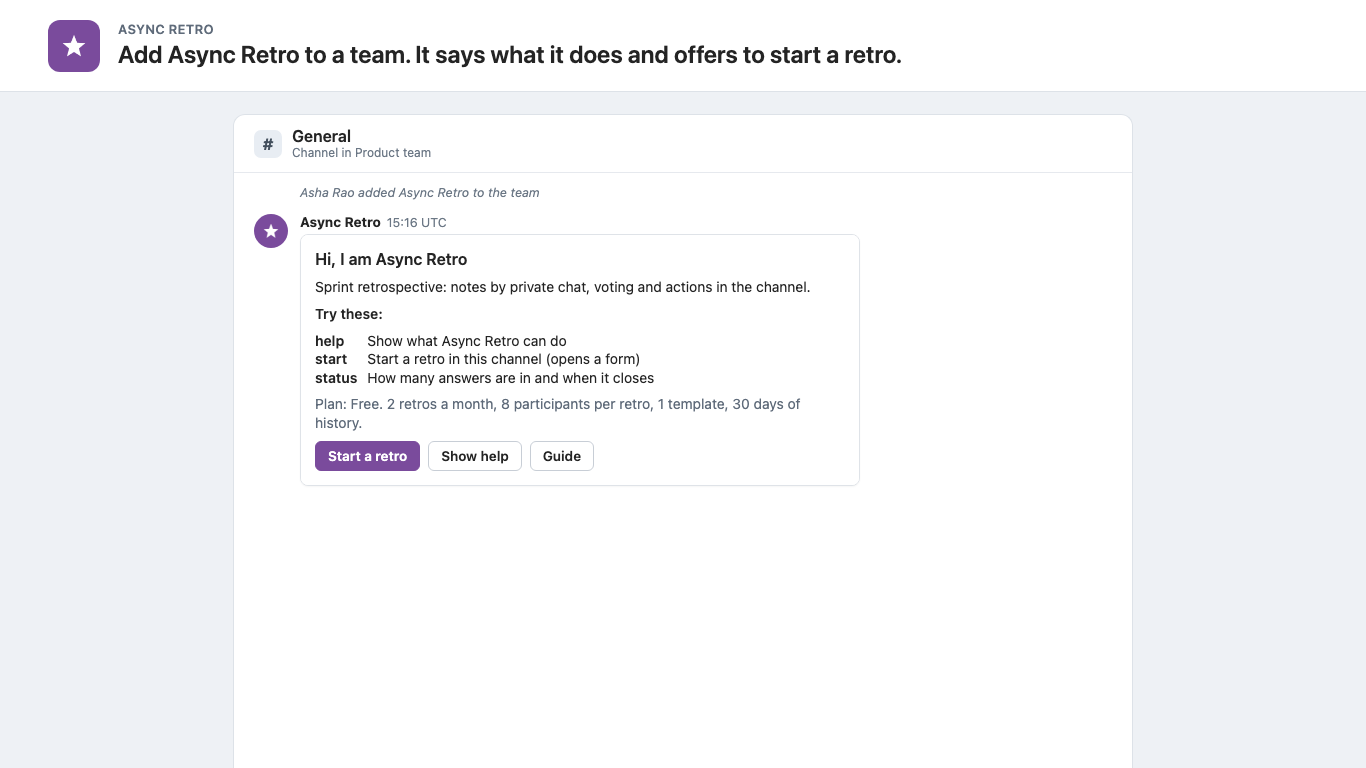
Sprint retrospective notes by private chat, then voting and action items in the channel.
What it does
Retros work better when people can write without everyone watching. Async Retro collects the notes in private chats, and nobody sees them until the board goes up.
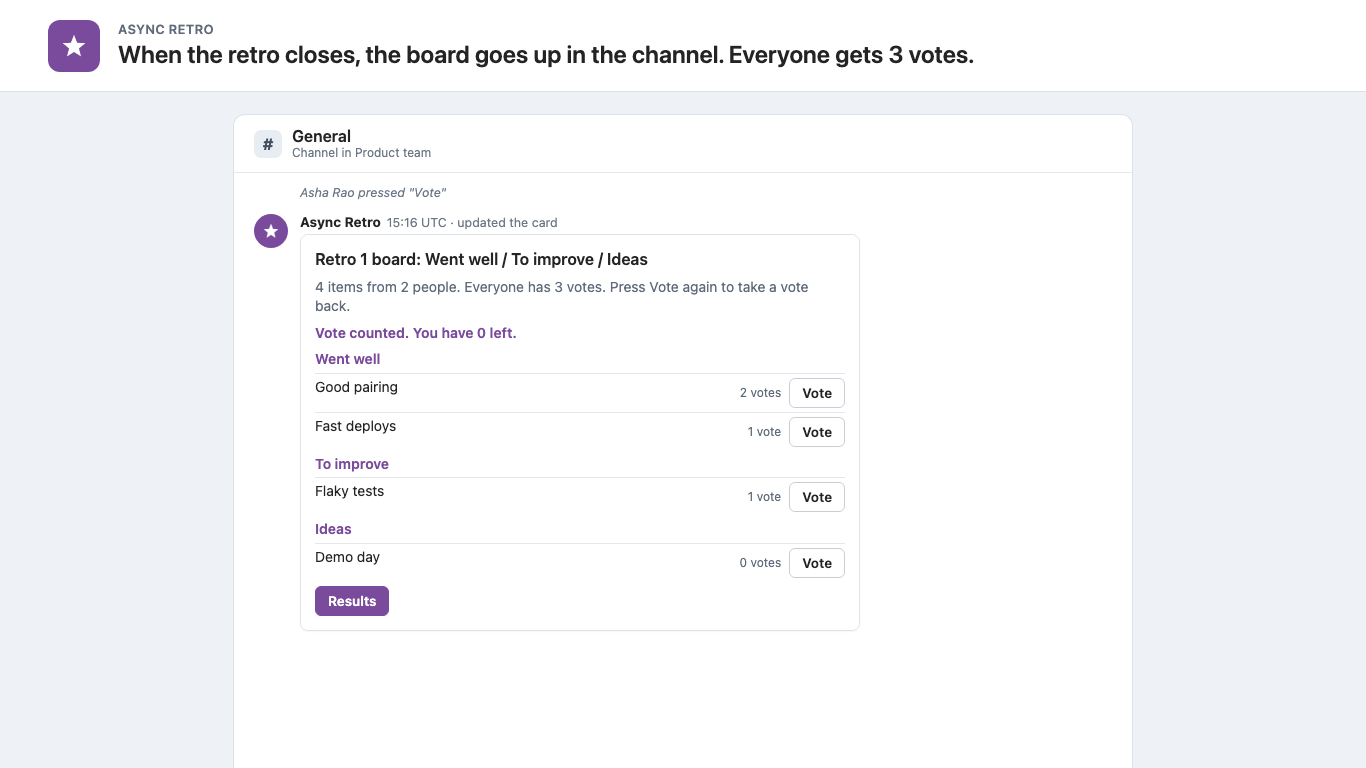
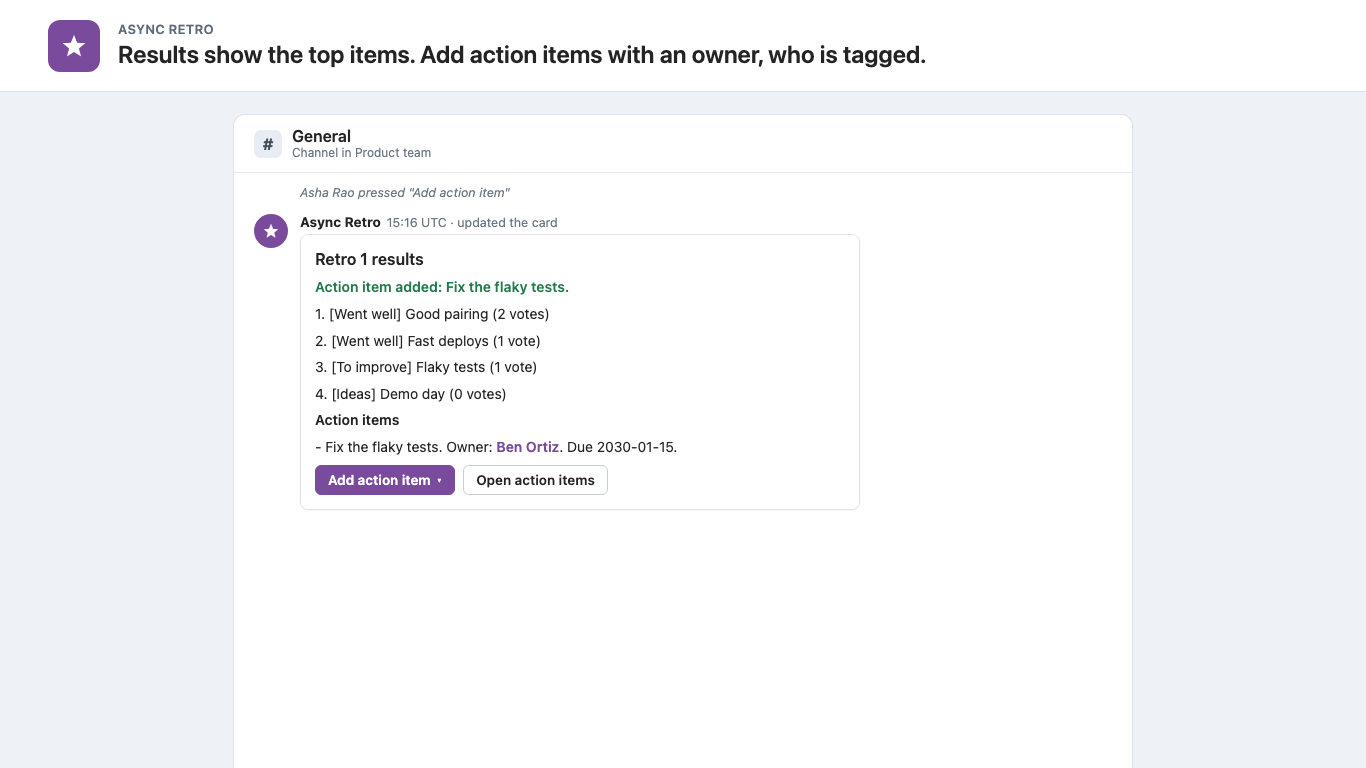
When the retro closes, the bot posts a board in the channel. Each person gets 3 votes. The top items become action items, each with an owner and a due date.
Before the next retro, Pro owners get a short reminder of their open actions, and the next board starts with last time's list.
Notes are stored without names. To stop double answers and to count votes, the app keeps a one-way code per person, made with a secret key only the app holds. The codes are stored apart from the notes, so the stored data can't be matched to a person without that key.
It runs inside the channel. Nobody opens another site or makes an account. It asks for no Microsoft Graph permissions. If your organization only allows approved apps, an admin approves it once in the Teams admin center.
Set it up
- Add Async Retro to a team from the Teams Store and open the channel for retros.
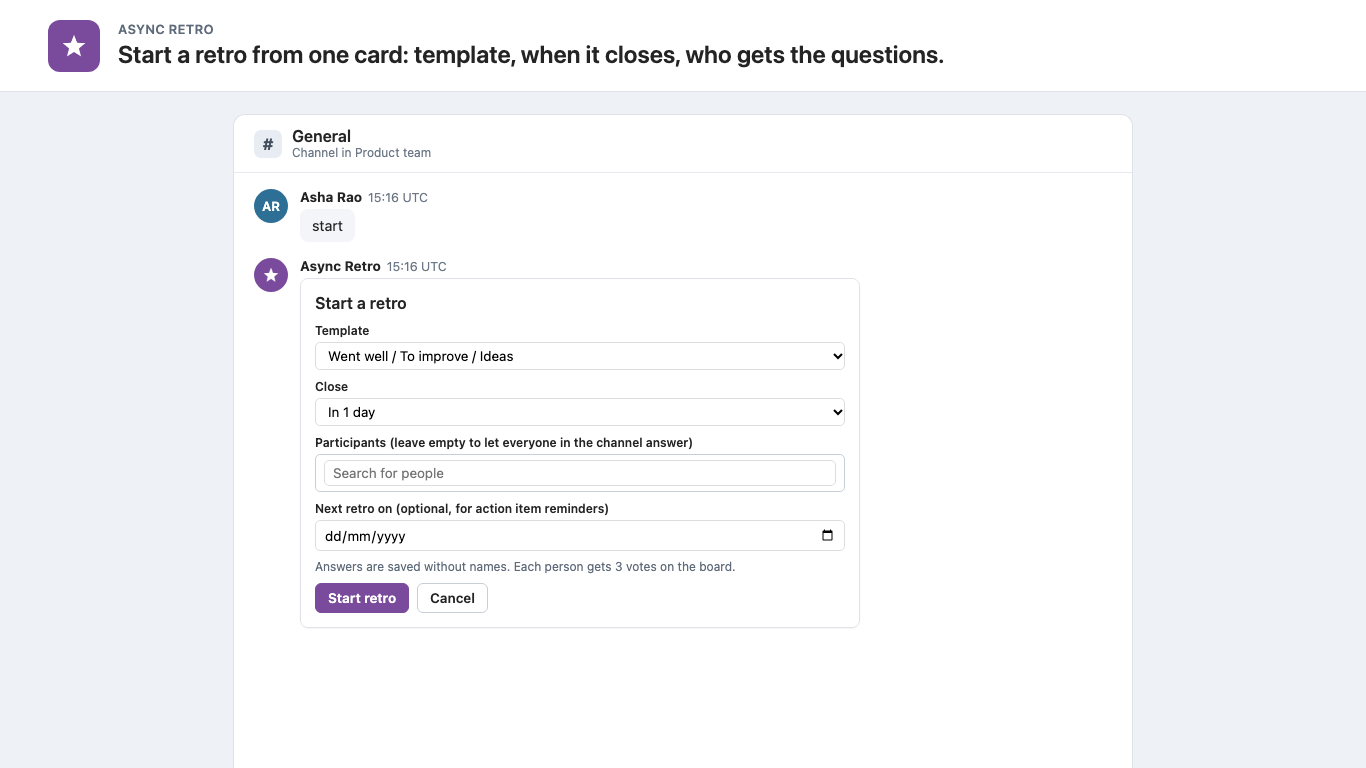
- In that channel, type @Async Retro start.
- Pick the template, when it closes and who takes part, then press Start retro.
- Each person gets the questions in a private chat. When it closes, the board appears in the channel for voting.
Commands
| Type this | What happens |
|---|---|
@Async Retro start | Starts a new retro |
@Async Retro status | Shows how many people have answered |
@Async Retro close | Closes the retro now and posts the board |
@Async Retro results | Posts the top items and lets you add actions |
@Async Retro actions | Lists the open action items |
@Async Retro export | Shows the retro as CSV text (Pro) |
@Async Retro help | Shows the commands |
Free and Pro
| Free | Pro | |
|---|---|---|
| Retros | 2 a month per organization | Unlimited in each covered team |
| People in a retro | Up to 8 | Unlimited |
| Templates | Went well / To improve / Ideas | Also Start / Stop / Continue and Mad / Sad / Glad |
| Action item reminders | No | Yes |
| History | 30 days | Kept until you remove the app |
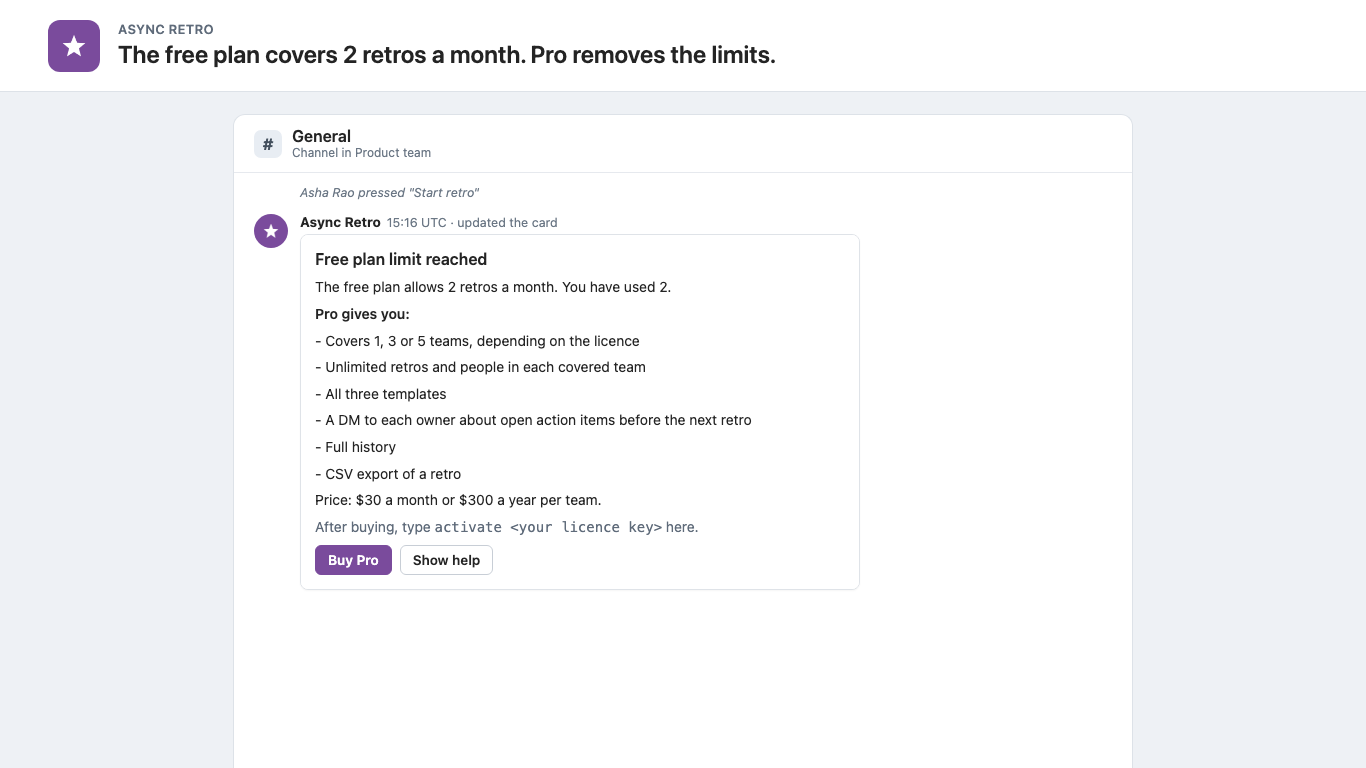
| Price | Free | USD 30 a month or USD 300 a year per team, sold for 1, 3 or 5 teams, plus tax where it applies |
Price
Pro is priced per team because each team runs its own retros. A Pro licence covers 1, 3 or 5 teams: the first teams that start a retro after you activate it. Other teams stay on the free plan. The free plan has no trial period; it keeps working within its limits.
Buy Pro from this page with the Buy Pro button. Freemius, our reseller, emails you a licence key. Type @Async Retro activate followed by the key in a covered team's channel.
You can cancel any time, and you can ask for a full refund within 14 days of buying.
Questions
Are the notes really anonymous?
Notes are stored without names. To stop double answers and count votes, the app keeps a one-way code per person, made with a secret key only the app holds and stored apart from the notes. Without that key the stored data can't be matched to a person.
Which template is on the free plan?
Went well / To improve / Ideas. Pro adds Start / Stop / Continue and Mad / Sad / Glad.
Do I need a whiteboard or another tool?
No. Everything happens in Teams chat and one card in the channel.
What happens if I remove the app?
We delete that team's retros and actions within 30 days.